Final-year internship, internal assignment, in production
Photograph the label instead of copying out the number
Equipment arriving at the office was inventoried by hand: the model and serial number were copied from the box into a spreadsheet. I built an AppSheet app that reads the label using optical character recognition. It has been in production since 12 June 2026.
Context and goal
Before deployment, every device received has to be inventoried. The model and serial number were read off the label on the box, then copied into a spreadsheet: three to five minutes per device, with a high risk of error, because these numbers are long, alphanumeric and have no redundancy.
The real cost is not the typing. A transcription error goes unnoticed when it is made; it shows up weeks later, when someone looks for a piece of equipment that cannot be found under that reference. The goal: remove manual entry of the model and serial number.
My role
I spotted this pain point by meeting the company's staff one by one at the start of my internship and listening to them describe how equipment was received. The request was then taken up by the sales and technical leads. I designed, built and launched the app, and wrote a step-by-step guide to present it to the team.
What I did
A template rather than free reading
Reliability rests on a feature of the context: labels from the same manufacturer all have the same layout. I checked this consistency on the boxes in stock before building anything, then calibrated the capture zones on those labels. This is far more reliable than free-text extraction, precisely because the approach exploits a regularity known in advance.
The difficulty came from how dense the labels are: on a Chromebook box, the serial number sits next to a product reference, a barcode, a batch number and regulatory notices, in the same font, a few millimetres apart. A badly defined zone captures the wrong field, and the error goes unnoticed because the format still looks plausible.
Try it: the reading template
The green zone reads the serial number. Drag it over the label (mouse, finger or arrow keys), then change box: same manufacturer first, then a different one.
Read by the OCR
Designed for the warehouse, not the office
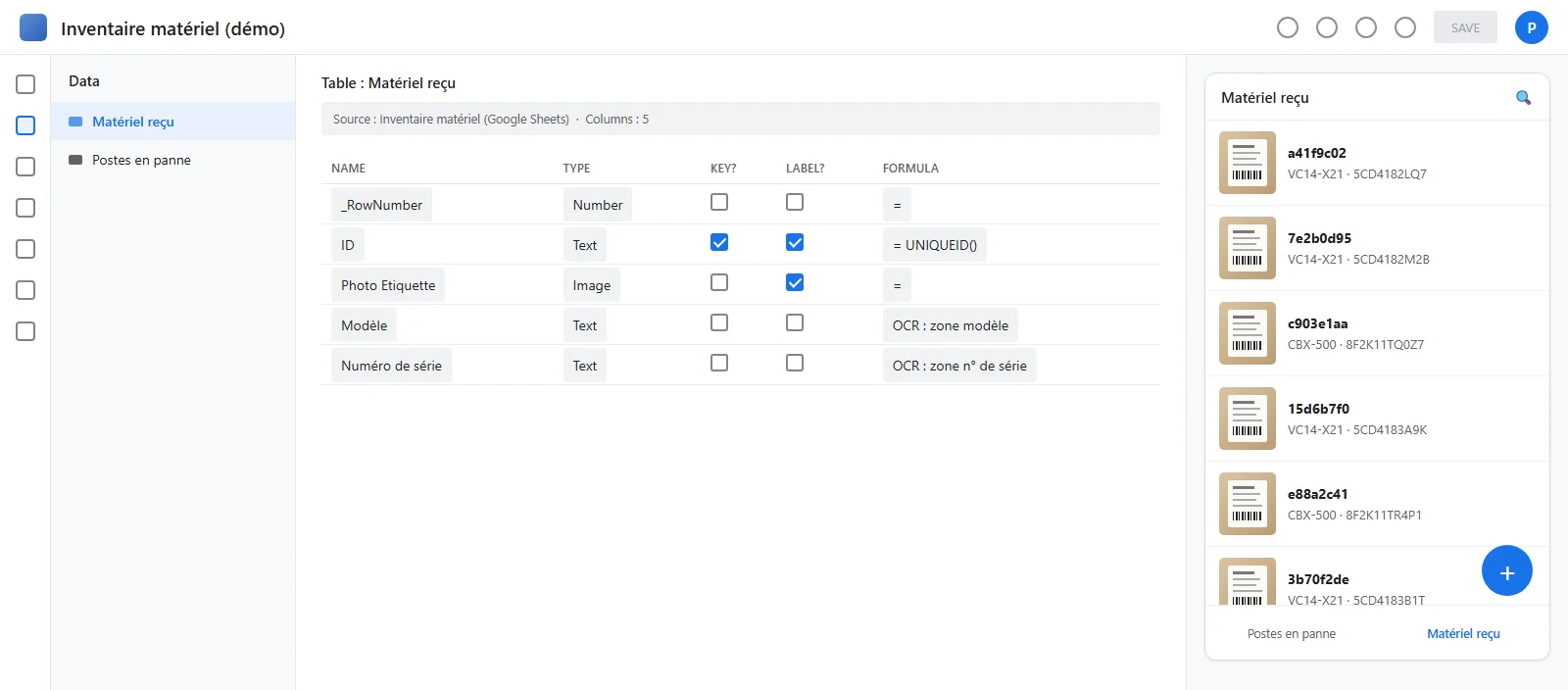
The app is used standing up, often with only one hand free. So I reduced the form to a single action: one button opens the camera, and you confirm after extraction. The serial number field can also read a barcode directly when the label has one. A second view lists faulty devices, so that the same tool can be used to track defective equipment.
No new security perimeter
The label photos are stored in the organisation's Drive space, subject to the access rules already in place. The choice was deliberate: not to create a new space to administer and secure. The photo is kept as is, which makes it possible to check afterwards what the recognition read.
Verifiable results
- RecordedApp deployed on 12 June 2026, in production at Good iD when I left.
- Counted81 items of equipment recorded, according to the database itself.
- EstimatedAbout 70% less data-entry time per device. Estimated after the fact, on a few boxes, with no baseline: this is not a measurement.
- RecordedManual transcription is gone as a source of error. I did not compare the extracted values with the labels one by one, so I do not claim a zero error rate.
Limitations and lessons learnt
- Measure before, not after. I timed data entry after delivery, whereas the main gain lies in the errors avoided, which I neither measured nor estimated. Half a day measuring the existing process (times, errors found in the inventory history) would have turned a claim into a result. Since then, I set the success criteria before developing.
- A constraint discovered in use. Recognition happens in the cloud: without a network connection the app does not work, and coverage is weakest precisely in the storage rooms. An analysis of the real conditions of use would have revealed this before development.
- A data model to rethink. Two separate lists (in service, faulty) rather than a status field on a single record: it was quick to set up, but it breaks a device's history. Today I would choose the status field.
- Handover. No designated successor and no maintenance note when I left; I only gave the team edit access.